
Photography A-Z's for Beginners
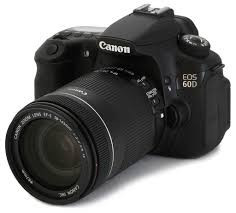

Today's BLOG will be covering some of the more important terms used in photography and that are essential for the beginner and expert alike to know. These were vital to me while I was learning photography basics at The Art Institute of San Antonio. These basics are instrumental whether I'm shooting portraits or travel photographs. If there are terms that you feel that are missing, just drop me a quick message and I'll add them to the list.
Aperture
- Aperture is the size of the opening in the lens. Think of the lens as a window— large windows let in more light, while small windows let in less light. A wide-open aperture will let more light into the image for a brighter photo, while a smaller aperture lets in less light. Aperture is measured in f-stops; a small f-stop like f/1.8 is a wide opening, a large f-stop like f/22 is a very narrow one.
Al Servo
- Normally, the autofocus locks onto the subject and stays locked. But, with Al Servo the autofocus continues working. With a single autofocus mode, if the subject (or the camera) moves, the shot will be out of focus. With Al Servo autofocus system will continue focusing until you take the photo, so the subject is still sharp, even if they move.
Aspect Ratio
- Aspect ratio is simply the ratio of the height to width. An 8 x 10 has an equal aspect ratio to a 4 x 5, but a 4 x 7 image is a bit wider. You can change the aspect ratio in your camera if you know how you’d like to print your image, or you can crop your photo when you edit it to the right ratio.
Bokeh
- Bokeh is the aesthetic quality of the blur produced in the out-of-focus parts of an image produced by a lens
Depth of Field
- Depth of field is term that refers to how much of the image is in focus. The camera will focus on one distance, but there’s a range of distance in front and behind that point that stays sharp—that’s depth of field. Portraits often have a soft, unfocused background—this is a shallow depth of field. Landscapes, on the other hand, often have more of the image in focus—this is a large depth of field, with a big range of distance that stays sharp.
Exposure
- Exposure is how light or dark an image is. An image is created when the camera sensor is exposed to light—that’s where the term originates. A dark photo is considered underexposed, or it wasn’t exposed to enough light; a light photo is overexposed or exposed to too much light. Exposure is controlled through aperture, shutter speed and ISO. Exposure is also subjective—there is no “right” exposure.
Exposure Compensation
- Exposure compensation is a way to tell the camera that you’d like the exposure to be lighter or darker. Exposure compensation can be used on some automated modes and semi-automated modes like aperture priority. It’s measured in stops of light, with negative numbers resulting in a darker image and positive ones creating a brighter shot.
Focus
- When your eyes focus on an object that’s close to you, the objects far away will appear blurry. The common photography term “focus” has the same meaning. Something that is in focus is sharp, while an object that is out-of-focus isn’t sharp. Different focus areas determine if the camera is focusing on multiple points or one user-selected point.
Histogram
- A histogram is a chart that depicts how many light and dark pixels are in an image. If the chart peaks towards the left, the image has a lot of dark hues. If the chart peaks to the right, the image has a lot of light hues. If those peaks are cut off at the edges, the image is underexposed or overexposed.
ISO
- The ISO determines how sensitive the camera is to light. For example, an ISO of 100 means the camera isn’t very sensitive—great for shooting in the daylight. An ISO 3200 means the camera is very sensitive to light, so you can use that higher ISO for getting shots in low light. The trade off is that images at high ISOs appear to be grainy and have less detail. ISO is balanced with aperture and shutter speed to get a proper exposure.
Metering
- Using manual mode isn’t all guesswork—a light meter built into the camera helps guide those decisions, indicating if the camera thinks the image is over or under exposed. Metering is actually based on a middle gray, so having lighter or darker objects in the image can throw the metering off a little bit. Metering modes indicate how the meter is reading the light. Matrix metering means the camera is reading the light from the entire scene. Center-weighted metering considers only what’s at the center of the frame and spot metering measures the light based on where your focus point is.
Noise
- Noise is simply grain on an image. Images taken at high ISOs have a lot of noise, so it’s best to use the lowest ISO you can for the amount of light in the scene.
RAW
- RAW is a file type that gives the photographer more control over photo editing. RAW is considered a digital negative, where the default JPEG file type has already been processed a bit. RAW requires special software to open, however, while JPEG is more universal.
Shutter Speed
- The shutter is the part of the camera that opens and closes to let light in and take a picture. The shutter speed is how long that shutter stays open, written in seconds or fractions of a second, like 1/200 s. or 1”, with the “ symbol often used to designate an entire second. The longer the shutter stays open, the more light that is let in. But, anything that moves while the shutter is open will become a blur, and if the entire camera moves while the shutter is open the whole image will be blurry.
White Balance
- Your eyes automatically adjust to different light sources, but a camera can’t do that—that’s why sometimes you take an image and it looks very blue or very yellow. Using the right white balance setting will make what’s white in real life actually appear white in the photo. There’s an auto white balance setting, but like any automatic setting it’s not always accurate. You can use a preset based on what light you are shooting in like sun or tungsten light bulbs, or you can take a picture of a white object and manually set the white balance.
Keywords:
San Antonio,
Texas,
beginner,
how to,
san antonio photographer,
san antonio photography,
travel photographer,
travel photography

Comments
No comments posted.
Loading...
© 2022 Mike Byrnside Photography